
Introduction & Ledger Basics
Why Crypto Security Matters
In 2025, the cryptocurrency market is no longer a niche — Bitcoin, Ethereum, and thousands of altcoins have become a multi-trillion-dollar industry. But with massive growth comes massive risk. Every year, billions vanish through exchange hacks, phishing scams, malware, and careless wallet storage. If you don’t take security seriously, your crypto can disappear overnight — and that’s where hardware wallets like Ledger come in.
Studies suggest that 1 in 5 cryptocurrency investors has fallen victim to theft, fraud, or hacking attempts. And it’s not just beginners — even seasoned traders who keep their coins on software wallets or popular exchanges remain exposed. Hackers don’t discriminate. That’s why hardware wallets like the Ledger Nano X and Nano S Plus have become indispensable tools in 2025. By storing private keys offline, Ledger creates a level of protection that no exchange or hot wallet can match.
Ledger hardware wallets store your private keys completely offline, a method known as cold storage. This makes it almost impossible for hackers to access your Bitcoin, Ethereum, or altcoins — even if your laptop or smartphone is infected with malware. Unlike online or software wallets that are exposed to phishing attacks, viruses, and exchange breaches, a Ledger device creates a secure barrier between your crypto and the internet. In simple terms: even if everything else gets hacked, your Ledger keeps your coins safe.
What is a Ledger Wallet?
Ledger is a French company founded in 2014 that has quickly become a global leader in cryptocurrency security. Their hardware wallets are trusted by millions of users worldwide to keep Bitcoin, Ethereum, NFTs, and thousands of altcoins safe in offline cold storage. Ledger currently offers these flagship models — the Ledger Stax, Flex, Nano S Plus and the Nano X — each designed for different types of crypto investors.
Ledger Nano S Plus – affordable, compact, and ideal for beginners
Ledger Nano X – advanced, larger storage, Bluetooth-enabled for mobile convenience
Both devices use cold storage technology to keep private keys offline, combined with a secure chip certified CC EAL5+, making Ledger one of the safest ways to manage crypto.
Key Features of Ledger Wallets:
- NFT Storage – Securely store and manage your Ethereum-based NFTs offline, protecting your digital collectibles from hacks and phishing attempts.
- Cold Storage Security – Your private keys never leave the Ledger device. By keeping your assets completely offline, Ledger makes it nearly impossible for hackers to steal your Bitcoin, Ethereum, or altcoins.
- Secure Chip Protection – Each Ledger wallet is built with a certified tamper-resistant security chip, designed to defend against both online and physical attacks.
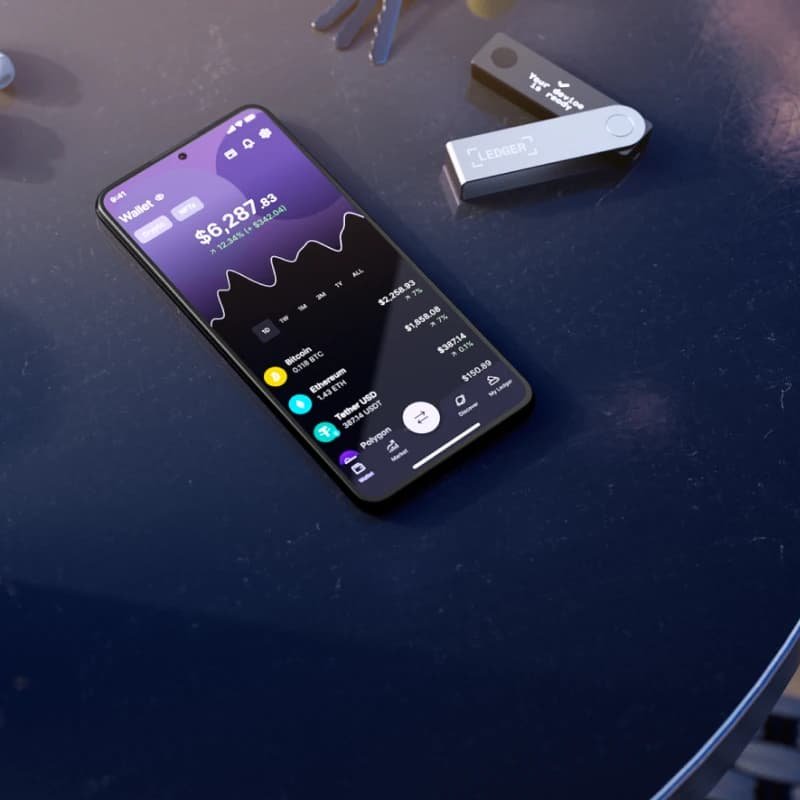
- Ledger Live App Integration – Easily manage your entire crypto portfolio in one place. With Ledger Live, you can view balances, send and receive coins, stake tokens, and even connect with DeFi apps securely.
- Massive Multi-Currency Support – Ledger supports over 1,800 cryptocurrencies, from Bitcoin and Ethereum to Solana, Polkadot, and thousands of altcoins. Perfect for diversified portfolios.
Ledger Nano S Plus vs Ledger Nano X
Ledger Nano S Plus vs Ledger Nano X Comparison
| Feature | Ledger Nano S Plus | Ledger Nano X |
|---|---|---|
| Price | ~$79 | ~$149 |
| Crypto Support | 1,800+ coins & tokens | 1,800+ coins & tokens |
| Connectivity | USB-C | USB-C + Bluetooth |
| Screen | Larger screen vs original Nano S | Compact screen, easier navigation |
| Mobile Support | Yes, via USB (Android) | Yes, Bluetooth (iOS & Android) |
| App Storage | Up to 100 apps | Up to 100 apps, more memory |
| Battery | No battery (USB connection only) | Rechargeable battery, fully portable |
| Best For | Beginners, smaller portfolios | Advanced users, active traders, mobile use |
Recommendation:
Beginners with smaller portfolios: Nano S is perfect for storing BTC, ETH, and a few altcoins.
Advanced users managing multiple coins and mobile portfolios: Nano X is the better choice for convenience and storage capacity.
Practical Example: Why Ledger is Necessary
Imagine you hold 5 BTC and 50 ETH. You keep some funds on a software wallet connected to your computer and some offline on Ledger. If your computer is infected with malware, the software wallet could be compromised—but your Ledger funds remain safe.
This is the primary advantage of hardware wallets: even if hackers gain full access to your online devices, they cannot access the offline private keys stored on Ledger.
Pro Tip: Always write down your 24-word recovery seed on paper and store it securely offline. This seed is the only way to recover your funds if the device is lost or damaged.
Why Cold Storage Matters
Cold storage is the practice of keeping crypto private keys offline. This is the most effective defense against:
- Online hacks – hackers cannot access offline keys.
- Phishing attacks – Ledger requires physical confirmation for transactions.
- Malware attacks – even infected computers cannot compromise funds stored offline.
Step-by-Step Setup & Usage
Step 1: Unboxing Your Ledger Wallet
When you receive your Ledger Nano S or Nano X, always inspect the packaging carefully. Ledger devices come in tamper-evident boxes to ensure authenticity. Signs of tampering could indicate the device was compromised before reaching you.
Checklist before setup:
- Verify holographic stickers and seal integrity
- Ensure the device and accessories (USB cable, recovery sheets) are included
- Avoid devices purchased from third-party marketplaces
Step 2: Installing Ledger Live
Ledger Live is the official desktop and mobile application for managing your cryptocurrencies.
Steps:
- Download Ledger Live from the official Ledger website.
- Install the application on your computer (Windows, macOS, Linux) or mobile device (iOS, Android).
- Open Ledger Live and follow the setup wizard.
Pro Tip: Never download Ledger Live from third-party sites. Fake apps may contain malware or phishing software.
Step 3: Setting Up Your Ledger Wallet
A. Connecting Your Device
- Plug in Nano S or Nano X via USB
- Nano X can also connect via Bluetooth to supported mobile devices
B. Creating a PIN Code
- Choose a 6–8 digit PIN
- Confirm the PIN on the device screen
C. Generating Recovery Seed
- Ledger provides a 24-word recovery phrase
- Write it down physically on the recovery sheet provided
- Store it securely, ideally in a fireproof safe or secure location
Important: Never store your recovery phrase digitally. Do not photograph or save it on your computer or cloud storage.
Step 4: Installing Cryptocurrency Apps
Ledger supports a wide variety of cryptocurrencies, but each coin requires a dedicated app installed via Ledger Live.
Steps:
- Open Ledger Live → Manager → Connect your device
- Browse supported apps (BTC, ETH, SOL, DOT, etc.)
- Install apps for the coins you want to store
- Ledger Live allows multiple apps simultaneously (Nano X supports more than Nano S due to storage limits)
Pro Tip: Install only the apps you actively use to avoid exceeding storage capacity.
Step 5: Sending & Receiving Cryptocurrency
Receiving Crypto
- Open Ledger Live → Accounts → Receive
- Select the coin you want to receive
- Verify the address on the device screen matches Ledger Live
- Share this address to receive crypto
Sending Crypto
- Open Ledger Live → Accounts → Send
- Enter recipient address and amount
- Confirm the transaction on the Ledger device
- Ledger requires physical confirmation for security
Step 6: Advanced Usage Tips
- Enable Passphrase: Add an extra layer of security with a custom passphrase
- Multiple Accounts: Create separate accounts for each coin or portfolio strategy
- Regular Updates: Keep Ledger Live and device firmware updated
- Check Transaction Verification: Always confirm addresses on your device screen, not just the computer
Example Scenario:
An investor holding BTC, ETH, and SOL uses Ledger Nano X. They installed apps for each coin and use Ledger Live to track balances. When sending SOL to a DeFi exchange, they confirm the address on the device, preventing any phishing attack from redirecting funds.
Step 7: Using Ledger with Mobile Devices
Ledger Nano X supports Bluetooth connection, enabling management via mobile devices:
- iOS and Android compatible
- Ledger Live Mobile mirrors desktop features: send, receive, install apps, track portfolio
- Always ensure your phone is free from malware and unauthorized apps
Step 8: Recovery & Safety Measures
Even with a hardware wallet, accidents can happen. Always prepare for recovery:
- Recovery Seed Storage: Fireproof safe or secure vault
- Multiple Backups: Consider storing recovery phrases in geographically separate secure locations
- Test Recovery: If possible, test recovery on a secondary Ledger device before holding large amounts
Practical Example:
A trader storing $50,000 in crypto splits assets across two Ledger devices. Each device’s recovery seed is stored in separate locations. Even if one device is lost, they can recover all assets safely.
Summary
By following these steps, you can:
- Safely set up Nano S or Nano X
- Install and manage multiple cryptocurrencies
- Send and receive crypto securely
- Protect your portfolio with recovery seeds and advanced security features
Ledger vs Other Wallets
Why Compare Wallets?
Not all crypto wallets are created equal. Security, convenience, coin support, and usability vary widely. Many beginners rely solely on software or exchange wallets, unaware of the risks. Hardware wallets like Ledger, Trezor, and KeepKey provide offline storage, significantly reducing theft and hacking risk.
In this section, we’ll compare Ledger with popular alternatives and help you choose the right wallet for your needs.
Hardware Wallets Comparison
| Feature | Ledger Nano X | Ledger Nano S Plus | Trezor Model T | KeepKey |
|---|---|---|---|---|
| Price | ~$150 | ~$79 | ~$180 | ~$50 |
| Crypto Support | 1,800+ coins | Major coins | 1,600+ coins | 40+ coins |
| NFT Support | Yes | Limited | Yes | Limited |
| Mobile Support | Bluetooth | USB only | USB only | USB only |
| Security Chip | CC EAL5+ | CC EAL5+ | Standard | Standard |
| Ease of Use | High | Medium | High | Medium |
| Portability | Excellent | Excellent | Good | Fair |
| Firmware Updates | Regular | Regular | Regular | Regular |
Software Wallets
Software wallets are apps installed on your computer or smartphone. Popular options include Exodus, Electrum, and MetaMask.
Pros:
- Free to use
- Convenient for frequent transactions
- Quick access to crypto
Cons:
- Vulnerable to malware and phishing
- Private keys stored online or on connected devices
- Risk of losing funds if the device is compromised
Practical Example:
A trader used a software wallet for $20,000 in crypto. A phishing attack redirected the transaction, and the funds were lost. With Ledger, the same transaction would require physical confirmation on the device, preventing theft.
Mobile Wallets
Mobile wallets like Trust Wallet, Coinbase Wallet, and Rainbow offer convenience but come with trade-offs:
Pros:
- Easy to manage on smartphones
- Support for multiple cryptocurrencies and tokens
- Integration with dApps
Cons:
- Phones are often targets of malware
- Risk of accidental app removal or phone loss
- Private keys may be exposed to hackers
Pro Tip: If using a mobile wallet, pair it with Ledger for cold storage of larger amounts. Only keep small, active trading funds on mobile apps.
Practical Use Cases
Scenario 1 – Beginner Investor
- Portfolio: 0.5 BTC, 2 ETH
- Device: Ledger Nano S
- Purpose: Long-term storage of major coins
- Benefit: Affordable, secure, simple setup
Scenario 2 – Advanced Trader
- Portfolio: BTC, ETH, SOL, DOT, 10+ altcoins
- Device: Ledger Nano X
- Purpose: Frequent trades, mobile portfolio management
- Benefit: Bluetooth for mobile, supports many apps
Scenario 3 – NFT Collector
- Portfolio: Ethereum NFTs
- Device: Ledger Nano X
- Purpose: Store NFTs offline securely
- Benefit: Protects against malware or phishing on connected devices
Scenario 4 – Software Wallet User
- Portfolio: Small altcoins for frequent trading
- Device: Software wallet (Exodus)
- Purpose: Quick access
- Risk: Vulnerable to hacks, phishing attacks
Why Ledger Stands Out
Ledger combines top-tier security, multi-coin support, mobile convenience, and ease of use. While Trezor and KeepKey are good alternatives, Ledger is preferred for:
- Large portfolios
- Multi-device management
- NFT and ERC-20 token storage
- Frequent updates and active security improvements
Summary
By comparing Ledger with other wallets, it’s clear that:
- Ledger Nano X is ideal for advanced users, multi-coin portfolios, and mobile management
- Ledger Nano S is suitable for beginners with fewer coins
- Software and mobile wallets are convenient but riskier for high-value holdings
- Physical hardware wallets remain the safest option for long-term storage
This comparison helps investors make an informed decision based on security, coin support, mobility, and portfolio needs.
Portfolio Management & Advanced Security
Managing Multiple Accounts
Ledger Live allows you to create multiple accounts for each cryptocurrency, which is essential for organized portfolio management.
Why multiple accounts matter:
- Segregate large holdings (BTC, ETH) from smaller altcoins
- Reduce risk if a particular account is targeted or compromised
- Simplify accounting and performance tracking
Example:
A trader holds 3 BTC, 50 ETH, and several altcoins. They create separate Ledger Live accounts for BTC, ETH, and altcoins. This way, if an altcoin investment fails or a smart contract interaction goes wrong, their main BTC and ETH holdings remain isolated and secure.
Splitting Assets Across Devices
For high-value portfolios, consider using multiple Ledger devices:
- Device 1: Long-term HODL assets (BTC, ETH)
- Device 2: Active trading assets and altcoins
- Device 3 (optional): NFT storage
Benefits:
- Reduces single-point-of-failure risk
- Ensures access continuity if one device is lost or damaged
- Increases security against targeted attacks
Practical Scenario:
An investor holding $250,000 in crypto uses Nano X for long-term storage and a second Nano S for active altcoin trading. Each device has a separate 24-word recovery seed stored in a different secure location.
Advanced Security Strategies
1. Enable Passphrases
- Add an extra layer of security to your recovery seed
- Protects against physical theft of your Ledger device
2. Offline Recovery Storage
- Store recovery seeds in fireproof, waterproof locations
- Consider using secure deposit boxes or geographic redundancy
3. Verify Transaction Addresses
- Always confirm crypto addresses on the Ledger device screen
- Prevents malware from redirecting transactions
4. Firmware Updates
- Regularly update Ledger firmware to patch vulnerabilities
- Ledger Live automatically notifies when updates are available
DeFi & NFT Management
Ledger supports secure interaction with DeFi apps via integrations like MetaMask and MyEtherWallet.
DeFi Use Case:
- Connect Ledger to MetaMask
- Stake ETH or participate in yield farming without exposing private keys
- Confirm every transaction on the Ledger device
NFT Use Case:
- Ledger stores Ethereum-based NFTs offline
- Protects digital collectibles from hacks and phishing attempts
- Ideal for high-value NFT investors
Practical Tip: Always double-check NFT contract addresses before signing transactions on Ledger.
Real-World Case Studies
Case Study 1 – Long-Term HODLer:
- Portfolio: 5 BTC, 50 ETH
- Device: Ledger Nano X
- Strategy: Single account for HODL assets, passphrase enabled
- Outcome: Funds remained safe for 3 years despite multiple phishing attacks targeting their email and software wallets
Case Study 2 – Active Trader:
- Portfolio: 20+ altcoins
- Device: Nano X + secondary Nano S
- Strategy: Split accounts, each with separate recovery seed
- Outcome: Could trade actively while maintaining security of main holdings
Case Study 3 – NFT Collector:
- Portfolio: Ethereum NFTs valued at $75,000
- Device: Ledger Nano X
- Strategy: Offline storage, verified contract addresses, passphrase protection
- Outcome: NFTs remained secure even when computer was infected with malware
Best Practices for Portfolio Management
- Keep major coins separate from altcoins
- Use multiple devices for high-value holdings
- Regularly review Ledger Live accounts and balances
- Enable passphrases for extra security
- Use Ledger for DeFi and NFT interactions instead of software wallets alone
- Test recovery procedures periodically to ensure you can restore funds
Summary
By applying these advanced strategies, Ledger users can:
- Organize portfolios efficiently
- Split assets to reduce risk
- Interact with DeFi and NFTs securely
- Protect funds with passphrases, backups, and firmware updates
Extended FAQs, Purchase Guidance & SEO Optimizations
Extended FAQ
Q1: Is Ledger suitable for beginners?
Yes. Ledger Live is intuitive, and devices guide users through PIN setup, recovery seed management, and transactions. Nano S is ideal for beginners.
Q2: Can I lose my crypto with Ledger?
Only if you lose your recovery seed or the device is physically destroyed without a backup. Properly storing the 24-word recovery phrase ensures full recovery.
Q3: How many cryptocurrencies can Ledger support?
Nano X supports over 1,800 coins and tokens, including Bitcoin, Ethereum, Solana, Polkadot, and ERC-20 tokens. Nano S supports fewer coins due to limited storage.
Q4: Does Ledger support NFTs?
Yes. Ledger securely stores Ethereum-based NFTs and allows safe interaction with NFT marketplaces via Ledger-compatible wallets.
Q5: Can I use Ledger on multiple devices?
Yes. Using the recovery seed, you can restore accounts on another Ledger device.
Q6: What is the difference between Nano S and Nano X?
Nano X supports more apps, has Bluetooth for mobile, a larger screen, and is better for diversified portfolios. Security is equally robust on both devices.
Q7: Can Ledger prevent phishing attacks?
Yes. All transactions must be physically confirmed on the device, preventing unauthorized transfers even if your computer or phone is compromised.
Q8: How do I recover my funds if Ledger is lost or stolen?
Use the 24-word recovery seed to restore funds on a new device or compatible wallet.
Q9: Is Ledger compatible with mobile apps?
Nano X supports Bluetooth connectivity for iOS and Android devices. Nano S is USB-only.
Q10: Can I manage multiple portfolios on one Ledger device?
Yes. Ledger Live allows multiple accounts per coin to manage separate portfolios.
Q11: Can I safely interact with DeFi apps using Ledger?
Yes. Connect Ledger to MetaMask or MyEtherWallet to stake, yield farm, or trade tokens securely.
Q12: How should I store my recovery seed?
Physically, in a fireproof and waterproof location. Avoid digital copies. Geographic redundancy is recommended.
Q13: How often should I update Ledger firmware?
Regularly. Ledger Live notifies you when updates are available to patch vulnerabilities.
Q14: Can Ledger protect against malware on my computer?
Yes. Because private keys remain offline, malware cannot access your funds. Always verify addresses on your device screen.
Q15: How do I choose between Nano S and Nano X?
Nano S: beginner, smaller portfolios. Nano X: advanced, multi-coin, mobile use.
Q16: Can I store ERC-20 tokens?
Yes. Ledger supports Ethereum and all ERC-20 tokens via Ledger Live.
Q17: Can I stake crypto with Ledger?
Yes. Ledger Live allows staking of coins like Tezos, Cosmos, and Algorand while keeping assets secure.
Q18: Is Ledger safer than software wallets?
Yes. Offline cold storage and a secure chip make Ledger far safer for long-term or high-value holdings.
Q19: What happens if I forget my PIN?
Ledger will ask for the recovery seed to restore the device and set a new PIN.
Q20: Can I use Ledger for short-term trading?
Yes, especially with Nano X. Split funds between long-term storage and trading accounts for safety.
How to Buy Ledger Safely
Always buy from the official Ledger website to avoid counterfeit devices. Our affiliate link ensures:
- Authentic, untampered Ledger device
- Warranty protection
- Official setup support
Avoid marketplaces like eBay or Amazon, as devices may be tampered with before delivery.
Conclusion
Ledger hardware wallets are the ultimate solution for cryptocurrency security:
- Offline storage with CC EAL5+ secure chip
- Supports 1,800+ coins and Ethereum NFTs
- Ledger Live app for portfolio tracking and crypto management
- Protection from hacks, malware, and phishing attacks
Invest in your crypto safety today. Use our official affiliate link to get a genuine Ledger device and protect your Bitcoin, Ethereum, altcoins, and NFTs.